
| Grade Level | System Requirement | Product Number |
|---|---|---|
| K-Grade 1 | Apple 64K | A175 |
| When students correctly match consonants with illustrations that represent words starting with those consonants, puppeteer Waldo Grizzy and a group of frolicking frogs will reward them with colorful computer pictures. | ||
INTRODUCTION
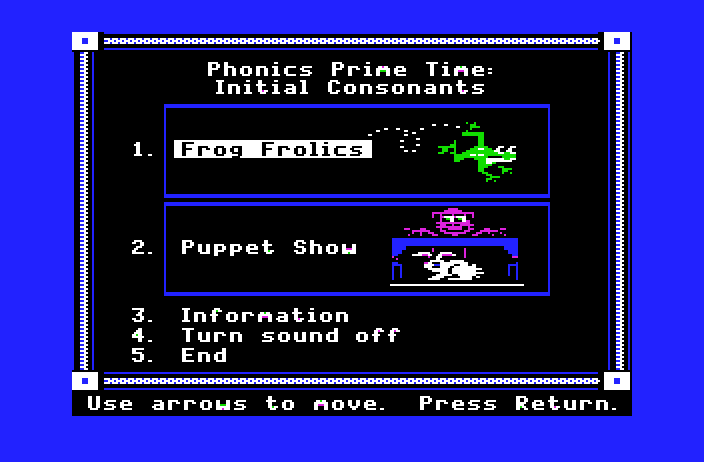
Phonics Prime Time: Initial Consonants is designed to give kindergarten and first-grade students practice in associating the beginning consonant sounds of words with the letters that represent those sounds.
FROG FROLICS presents a letter in a box at the top of the screen. The letter moves across the box at a speed set by the teacher using the Teacher Options. The student selects one of three pictures whose name begins with the letter shown in the box. The student must answer the problem before the letter gets to the end of the box.
PUPPET SHOW presents a picture, a sentence with a blank, and three words. Students look at and name the picture, determine its initial consonant sound, and select the word that names the picture. The word then appears in the blank in the sentence.
Teacher Options are available that enable teachers to tailor the presentation of the materials to the needs of individual students or classes. Records of individual student performance that the programs keep are also accessed using the Teacher Options. See pages 9-11 for information on how to use the Teacher Options.
The identification of pictures presented on the computer screen is important to the successful use of this package. As an aid for teachers and students, all of the pictures used in the package are identified in Appendix B.
Sound may be turned on or off before starting a program by selecting Option 4 on the main menu or during the program by pressing Control-S (hold down the Control Key and press the S Key) whenever the computer is waiting for a response.
Students can exit the program at any time by pressing the Escape (Esc) Key twice whenever th computer is waiting for a response.
This program requires an Apple II series computer with 64K of memory, one disk drive, and a monochrome or color monitor.