
| Grade Level | System Requirement | Product Number |
|---|---|---|
| Preschool-Grade 2 | Apple 64K | A158 |
| As children recognize simple words, those words instantly turn into pictures with this vocabulary builder. They can then use these pictures to create computer paintings. Add the optional Jostens Ufonic Voice system, and a natural-sounding voice gives students additional feedback. | ||
Introduction
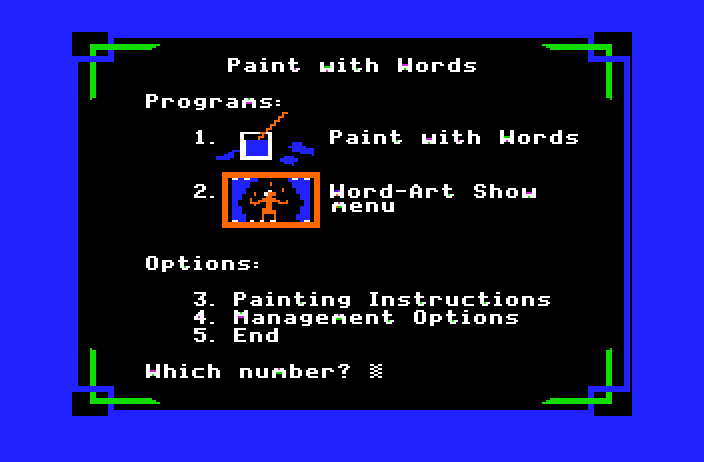
Paint with Words adds a new dimension to word recognition for early readers, preschool through second grade. Children create colorful pictures while learning words. They can select words, move them to a background screen, and then press the Space Bar to “magically” turn the words into images. When their pictures are complete, they may choose to save them to view in the WORD-ART SHOW program or they can print them on paper.
Pictures created can be printed using the built in Print system which emulates an Apple ImageWriter II Printer and prints the pictures to PDF for later viewing.
Teachers can select the words to create lists that fit the needs of their students. Words may be changed to allow for regional differences or personal preference. Refer to the section on Management Options, pages 8-12.
The Ufonic™ voice system developed by Borg-Warner Educational Systems allows children to hear the words spoken as they “paint” their pictures. Use of this natural, human-sounding voice system is optional. For information on the Borg-Warner system, contact Jostens Learning Systems, Inc., 600 West University Drive, Arlington Heights, IL 60004-1889.
Paint with Words is a double-sided diskette containing the PAINT WITH WORDS program on the front
side and the WORD-ART SHOW program on the back.
Paint with Words requires an Apple II series computer with 64K of memory. A color monitor is recommended but not required. A joystick or mouse can be used as an optional input device. Note: This is a two disk flippy program that requires the disks to be “flipped” or changed. You can use the Eject and Insert buttons to insert the disk into the appropriate drive to execute the flip. The drive for this program is Drive 1.
Curriculum Area: Language Arts
Subject: Reading
Grade Level: Preschool-2
Topic: Vocabulary
Description: Paint with Words enables early readers to create colorful pictures while learning new words. Words selected and placed on a background are transformed into their corresponding images. A color monitor is recommended but not required.
Computer Rationale: The computer allows students to expand and enrich their reading vocabulary in a creative and entertaining manner. The pictures students create can be saved and later viewed or printed.
Features:
- Management Options allow you to create or edit word lists
- the optional Ufonic'” voice system (which is purchased separately) allows children to hear the words spoken as they “paint” their pictures
Menu Options:
PAINT WITH WORDS – Allows early readers to select words from a list and then move them onto a background screen, where they are transformed into their corresponding images.
WORD-ART SHOW – Enables children to view and print pictures they have saved.