
| Grade Level | System Requirement | Product Number |
|---|---|---|
| K-Grade 2 | Apple 128K | A311 |
| Young children develop stories of their own by selecting from a variety of playful characters and arranging a series of pictures. They can then view an animated action sequence based on the pictured story. Read, write, and print options are available. * Fosters language development * Focuses on learning through discovery to explore language and storytelling in an open environment. | ||
Introduction
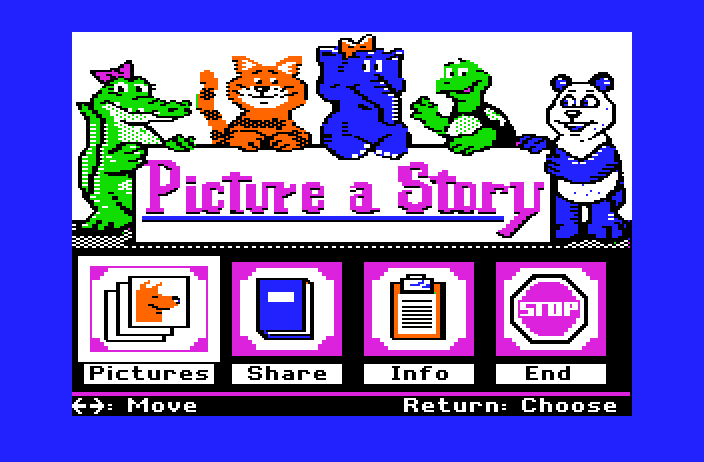
Welcome to Picture a story!
Picture a Story invites you to place a series of pictures in a sequence to tell a story. Many different stories can be created from the same set of pictures.
You can read, write, and print your stories.
Picture a Story consists of two program options.
The Pictures program allows you to construct stories.
The Share program allows you to read stories that have been constructed in the Pictures program and saved on the Picture a Story program disk.
To construct a story you may select from these options:
- Chance: randomly selects the pictures and sequence to be displayed
- Choose: allows you to select the pictures and sequence to be displayed
- Play: allows you to view an animated sequence of the picture story
- Story: provides access to the Read and Write options
- Who: changes the character in your picture story
- Stop: ends the current session of Picture a Story
You can print the current picture story by pressing the letter P.
If you want to quit in the middle of a story, press the Escape Key.
You can turn the sound on or off at any time by holding down the control key and pressing the letter S.
Management Options are available to:
- Disable Read / Write Option
- Activate Autoscroll Menu
- Set Student Printing Set Printer Options
- Erase Student Stories
The Product at a Glance
Picture a Story is a “story-construction” program that allows children to place a set of pictures in a story sequence to create a picture story. Each set of pictures can go together in many different ways to create a story. Picture a Story encourages children to construct their own story meaning through storytelling, reading, and writing. With Picture a Story, children will find that there are many stories waiting to be discovered and told. Each story comes alive through the child’s imagination.
Title: Picture a Story
Curriculum Area: Early learning
Subject: Language arts
Topics: Story construction; picture sequencing
Grade Range: K – Grade 2
Program Type: Discovery-learning
Required Hardware: Apple II series computer with 128K; color monitor recommended but not required
Classroom Use: Individual student or small group
Learning Objectives:
- to place a set of pictures in a sequence to tell a story
- to tell a story from a picture-story sequence
- to create many different stories from the same set of pictures
- to read a story generated from a picture-story sequence
- to write a story generated from a picture-story sequence